Latest Updates

πŸ“Ή Google Meet

by Daniel Hamer, Product Manager
New Feature
All Users

We've integrated directly with Google Meet so your own personal meeting link will automatically copy into the invite after the booking is processed.

When scheduling a new meeting room booking you will now see the Google Meet button.

Clicking this automatically adds video conferencing capabilities to the meeting.

This feature is only available if you are connected using Google Workspace.
πŸ“… Google Workspace Integration

by Daniel Hamer, Product Manager
New Feature
All Users

Attention Google organisations!

You can now sync your users, calendars and resources with UMA.

Organisations using Google can now log into the UMA platform using Google SSO, sync their calendars and book meeting rooms, desks, parking spaces and any other resource that has a Google Calendar.

Our mobile application and booking panel have also been updated to support the web update.

To get started, follow the integration guide here.

πŸ‘€ Monitor ANY Network Device

by Daniel Hamer, Product Manager
New Feature
Improvement

You've been able to monitor any network based hardware in UMA for a while now but we've added some improvements into this release to simplify the process.

If you have an 'UMA Collector' deployed on your network you can now add any device the collector finds by its ID in UMA.

To get started, add an 'UMA Collector Device' within the devices page.

Not sure how? Get in touch at [email protected]

πŸ–₯️ Meeting Room Display App - Use Your Account

by Daniel Hamer, Product Manager
New Feature
Admin
All Users

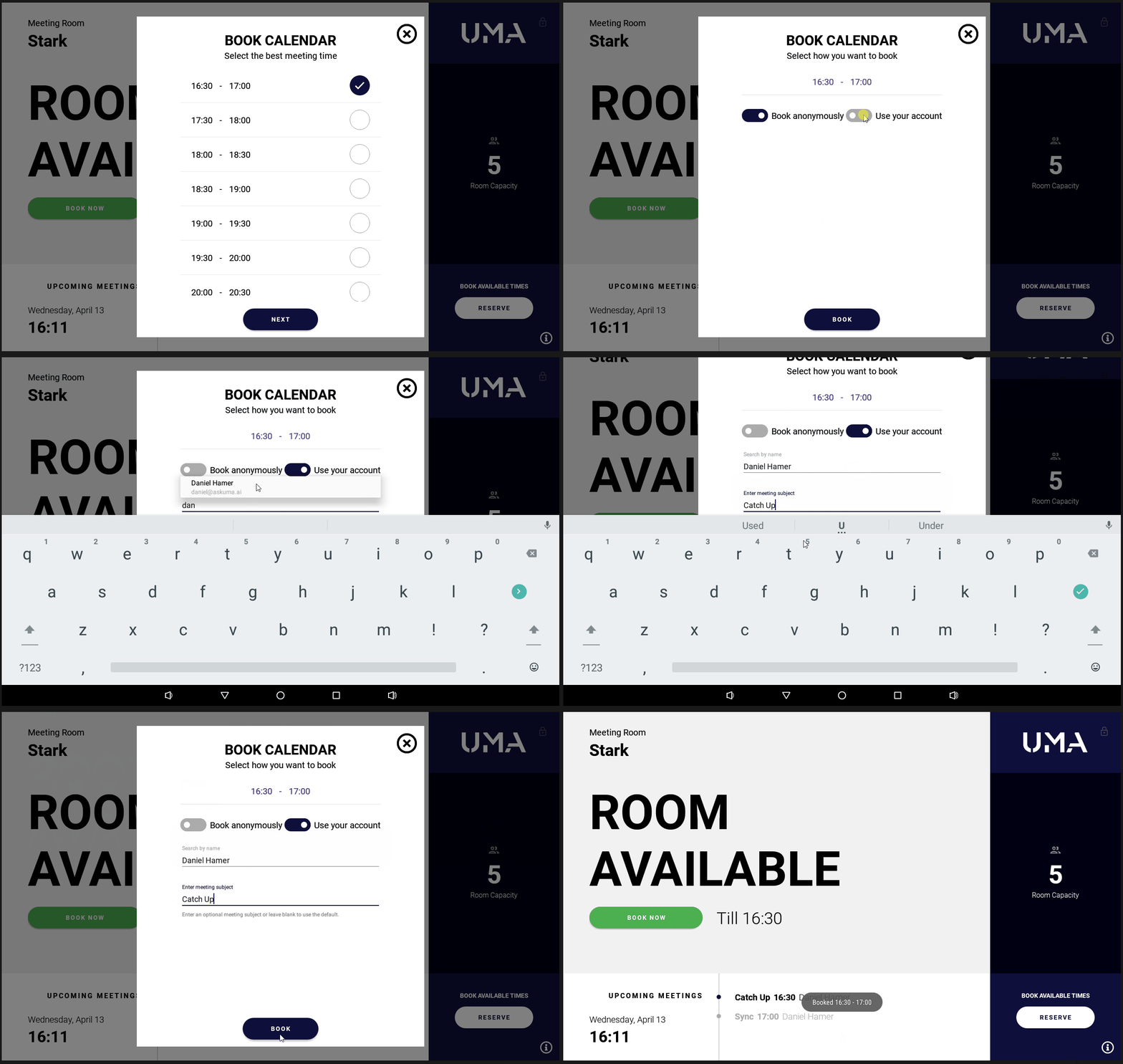
You can now book with your UMA account on the meeting room display app!

After selecting the time of booking, you can choose whether you want to book the room anonymously or for yourself.

If you choose to book for yourself, you will need to search and choose your account and enter in an optional subject for the meeting.

This is a much requested feature and we’re super happy to get it out there.

πŸ“ Zones

by Daniel Hamer, Product Manager
New Feature
Admin
All Users

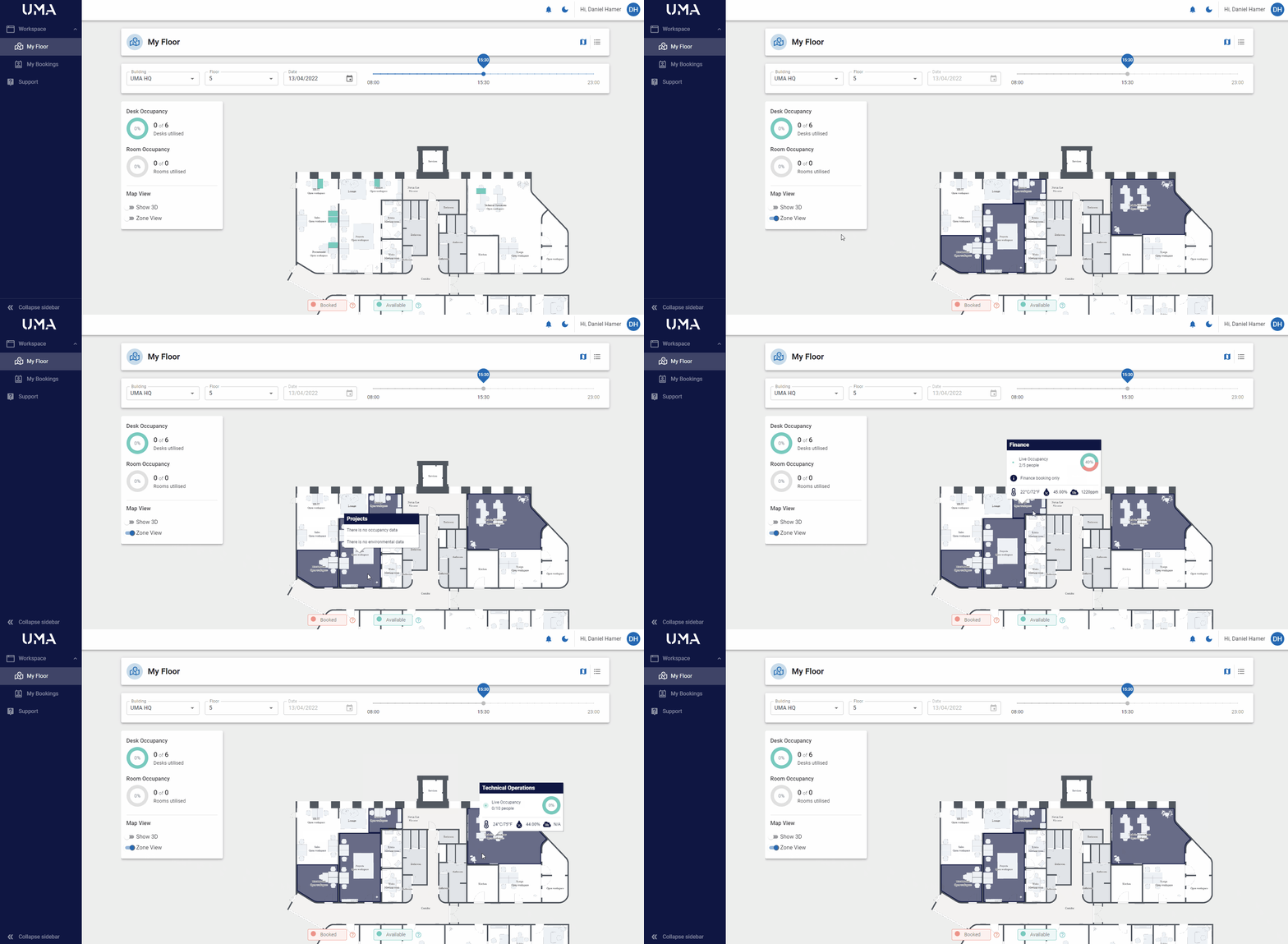
Introducing our newest feature, Zones!

Zones represent different areas of your office to allow you to segregate between departments, teams, facilities or however you choose to use them.

To get started, add a Zone as a new Resource and assign it an area of the map.

Hit β€˜Zone View’ on the map to allow all users to see zone information.

Initially, Zones will be used to visualise live occupancy, temperature, Co2 and humidity data on the map but we’ll soon be adding Zone based booking to allow users to search for available desks and meeting rooms in specific Zones.

To find out more click below.

Zones

πŸŽ›οΈ Updated 3D Controls

by Daniel Hamer, Product Manager
New Feature
Admin
All Users

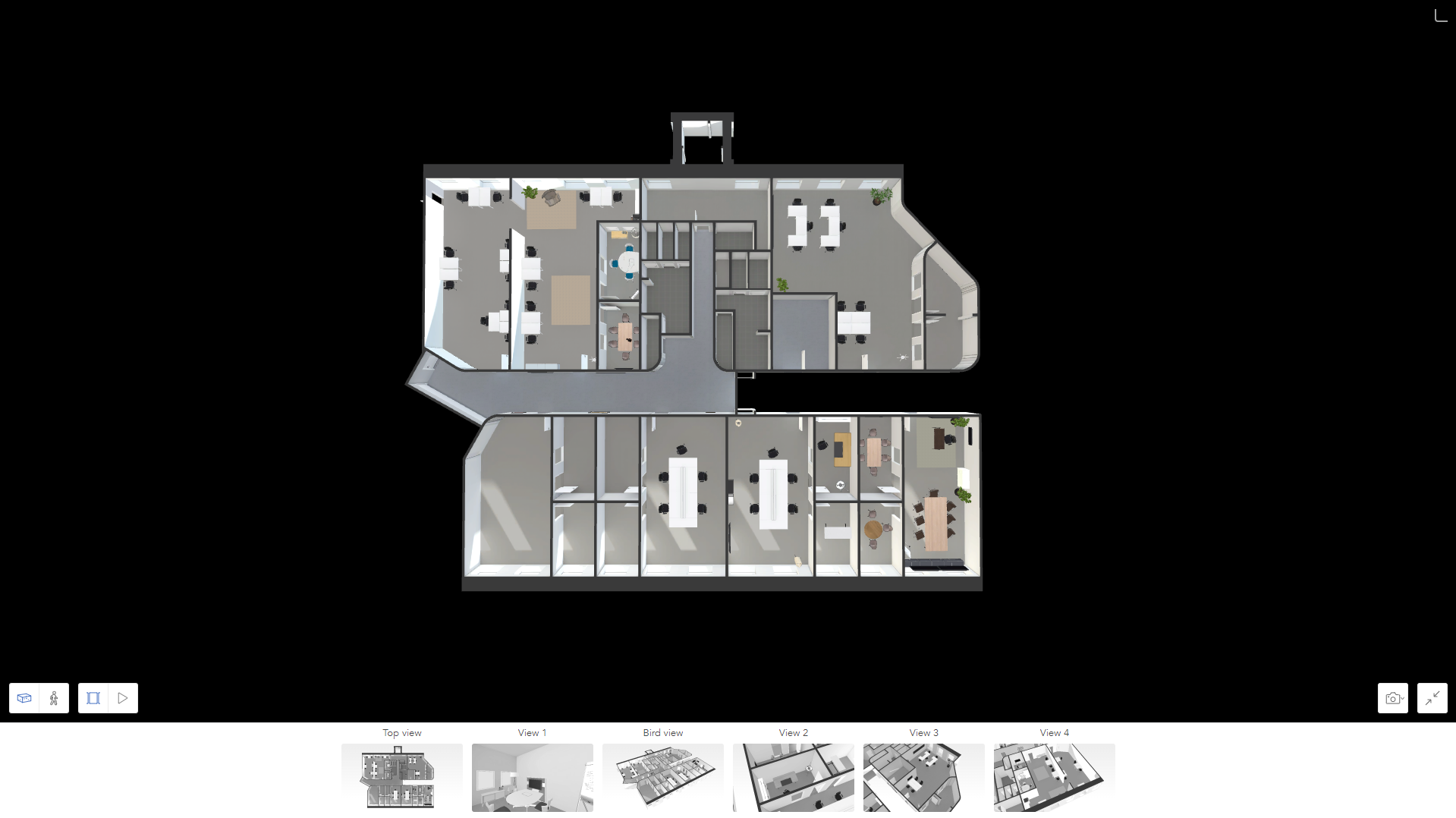
We've enabled the 3D map view for all users and included some really cool control features.


Full Screen Mode

You can now enter 3D view in full screen to really enhance the visual experience.

Export 3D Image

You can now export a live 3D view of your office to PNG or JPG to capture a certain live state.

Bookmarks

Our 3D mapping engine will create pre-defined bookmarks of areas of your office to quickly click on.

Person View

Enter person view to get a real wayfinding experience of your office floor.